
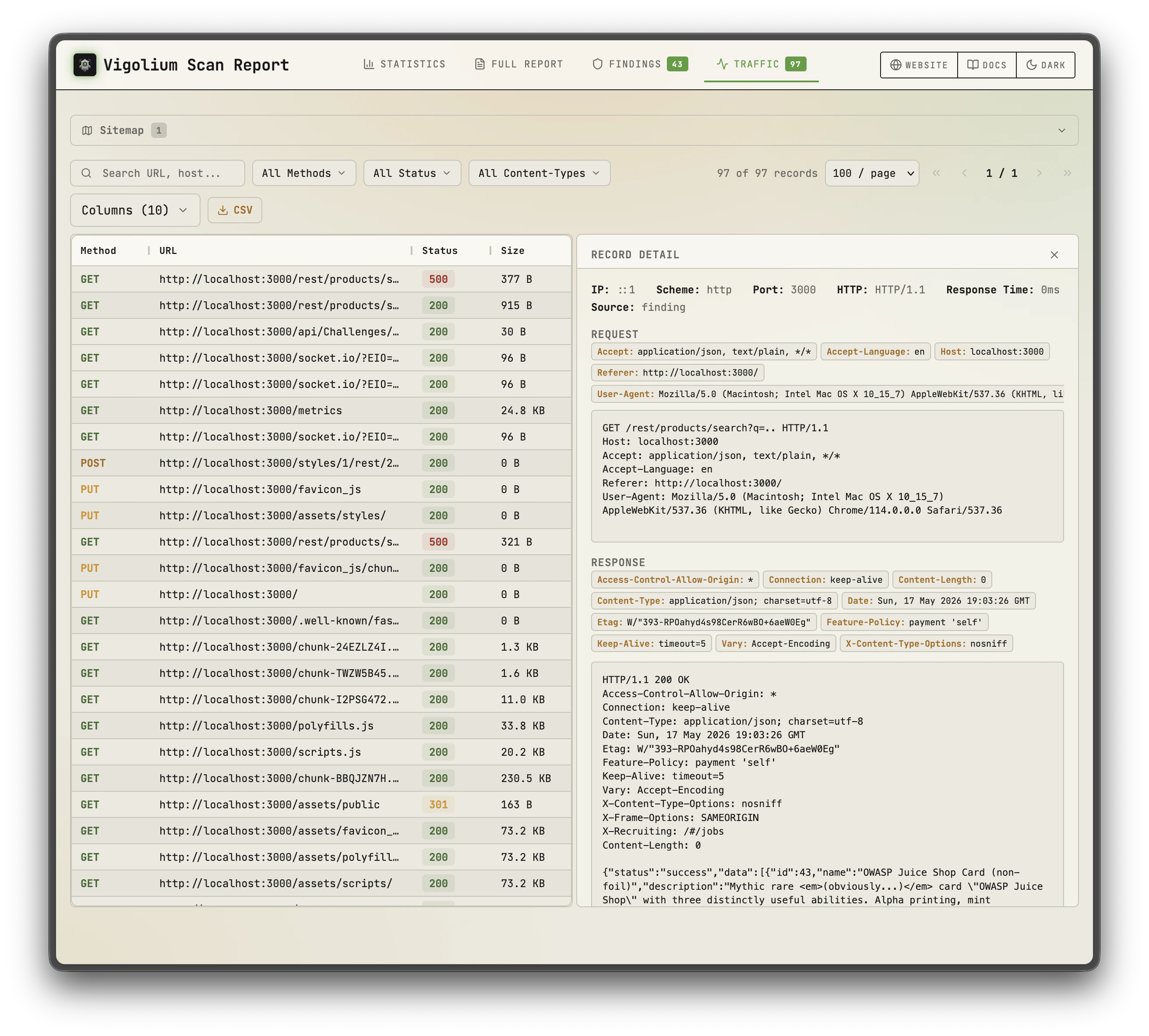
Project overview with scan summary
Findings list with filtering options
Output Formats
The--format flag controls the output format, and formats can be combined (e.g. --format jsonl,html). Native scans accept:
Matching is case-insensitive, and a format that writes a file requires
-o/--output.
Console (default)
--format flag is specified.
Severity colors:
- Critical: Red
- High: Orange/Yellow
- Medium: Yellow
- Low: Blue
- Info: Gray
JSONL
jq, ingesting into SIEMs, or processing with custom scripts.
Example usage with jq:
--ci-output-format is a shorthand that forces clean JSONL with no banners or color codes, drop-in safe for parsing in build scripts:
Narrowing the envelope with --export-only
--export-only limits the --format jsonl envelope to chosen record types, reusing the export --only vocabulary (http, findings, scans, modules, oast, source-repos, scopes):
A probe-only run defaults to
--export-only http: every finding a host sweep produces is a “Technology Detected” one, and that verdict is already on the record’s own technology field, so emitting both says the same thing twice. Pass --export-only http,findings to restore them. See Probe.HTML
-o/--output flag is required when using HTML format.
HTML format is supported for:
- Scan results (findings)
- Discovery phase output (discovered URLs and endpoints)
- Spidering phase output (crawled pages)
SARIF
scan/scan-url/scan-request/run, on vigolium export, and on vigolium import --format.
How findings map onto the schema:
- Code findings (from
vigolium agent auditand the source-aware agent modes) anchor to a file and line, which is what lets GitHub annotate them onto a pull-request diff. An absolute audit path is made repo-relative only when the repository name identifies a directory in it; otherwise the absolute path is kept rather than guessed at, so a result is never pinned to the wrong file. - Native-module findings anchor to their URL and carry the proof exchange in
webRequest/webResponse. Bodies are capped (4 KB each) so a large scan stays inside upload limits; a result whose evidence was cut carriesproperties.evidenceTruncated. - A clean scan still emits
results: []andrules: []— an absent array reads as a malformed run rather than as zero findings.
SQLite
<output>.sqlite (via SQLite VACUUM INTO), producing a single self-contained file you can reopen later with vigolium finding/traffic (see Reading a Standalone Export). Aliases: sqlite3, db.
- Requires
-S/--statelessand-o/--output. Stateless runs use a per-run temporary database, so “this scan’s SQLite” is well-defined; a persisted run writes into the shared project DB, where it would be ambiguous (usevigolium exportfor that). - Combines with other formats:
--format sqlite,html -o scanwrites bothscan.sqliteandscan.html. - Under
--split-by-host, each per-host file is named<base>-<host>.sqlite.
Filesystem (fs)
ls/grep/jq, no database required. Two sibling directories are written off the -o base (defaulting to vigolium in the current directory when -o is omitted), so -o run yields run-traffic/ and run-findings/:
- Per-host ids are zero-padded and assigned in
sent_atorder, so re-exports are reproducible. - Each
<id>.reqstarts with an@target <scheme>://<authority>line followed by the raw request verbatim — strip line 1 and it replays directly. index.jsonis the entry point: onejqover it maps every id to its url/status and to the file holding the bytes. On a traffic row, thefindingfield carries the top severity of any finding touching that request; each finding.mdlinks straight to the.req/.resp.*that proves it.- Available on
vigolium export,vigolium db export(honoring its filters), andscan/scan-url/scan-request/run— with or without-S/--stateless. - Honors
--omit-response(drops the.resp.*files).--split-by-hostis a no-op, sincefsalready splits by host.
The ingestion server can produce this same tree live with
vigolium server --mirror-fs <dir> — see Running the Server.Exporting Stored Results in Several Formats
vigolium export --format also takes a comma-separated list — html, report, pdf, jsonl, markdown (alias md), sarif, bundle (alias gz), fs (alias file-system). The database is read once and every format renders from that one result set, so three formats cost one query rather than three:
-o/--output is a shared base path and each format appends its own extension (an extension already on the base is replaced, not stacked). Because one -o cannot name several files, it is required as soon as you pass a second format. A single format still uses -o verbatim: --format html -o report writes exactly report.
{ts} and {project-uuid} are expanded once for the whole run, so every file carries the same timestamp even when a slow renderer (pdf, which shells out to headless Chrome) finishes seconds after its siblings. The same holds for a gs:// base, where each format is uploaded under its own key:
vigolium db export -f remains single-valued. On the scan commands, --format selects live output writers (the formats above under Output Formats) rather than export renderers.Severity Scale
Findings are classified using five severity levels:Confidence Scale
Each finding includes a confidence level indicating the reliability of the detection:Finding Structure
Each finding contains the following fields:Saving Output
Using the -o/—output Flag
Write output directly to a file:Piping JSONL
JSONL output can be piped to other tools for processing:Discovery and Spidering Output
The discovery and spidering phases produce their own output alongside scan findings.Discovery Output
Discovery output includes URLs and endpoints found through wordlist-based content discovery, Wayback Machine data, and JavaScript analysis. Each discovered URL is reported with its HTTP status code and response metadata.Spidering Output
Spidering output includes pages found by the browser-based crawler, along with forms, links, and dynamic content discovered during crawling.OAST Interactions
Out-of-band Application Security Testing (OAST) findings come from DNS and HTTP callback interactions. When a scanner payload triggers an out-of-band request to the OAST server, the interaction is correlated back to the original test case. OAST findings appear in output with:- The original request that triggered the out-of-band interaction
- The type of interaction (DNS lookup, HTTP request)
- Timing information (when the callback was received)
- Correlation data linking the interaction to the specific payload
Querying Results from Database
All scan data is stored in the database (SQLite by default). You can query stored results using CLI commands without re-running scans.Listing Findings
--confidence keeps only findings whose confidence matches one of the comma-separated levels (certain, firm, tentative) and renders a colorized CONFIDENCE column, complementing --min-severity.
Listing Traffic
--project-name/--project-uuid to target a specific project, or set a default for your shell with eval $(vigolium project use <uuid>). See the Projects & Multi-Tenancy reference for details on multi-tenancy and project scoping.
Reading a Standalone Export
finding and traffic can read a file directly instead of your project database, which is handy for inspecting a --format jsonl export or a foreign .sqlite file from another machine. Pass -S/--stateless together with --db <file>:
-S/--stateless turns project scoping off, so every row in the file is shown regardless of the project_uuid it carries. Nothing is written to your project database (a JSONL source is loaded into a throwaway in-memory SQLite). The source type is auto-detected by extension, falling back to a header sniff (.jsonl/.ndjson vs the SQLite format 3 magic / .sqlite/.sqlite3/.db).
Reading a source no longer modifies it (v0.4.6). A read-write SQLite open is itself a write - the DSN sets
journal_mode=WAL (changing an archive’s hash), the open checkpoints main and sidecar, a background checkpointer truncates the WAL every five minutes, and Close writes sqlite_stat1. --glob-db sources are now opened and attached mode=ro, so browsing an archive leaves it byte-identical.Attach paths are percent-encoded too: the SQLite driver parses every ATTACH filename as a URI, not only ones beginning with file:, so a --glob-db path containing ? used to attach a different, empty database and report a successful merge having copied nothing. Such a path is now an explicit error.A valid SQLite file that is not a Vigolium store reports error.code: "source_incompatible" rather than the generic failed.A wrong
--db path fails instead of reading as empty (v0.4.7). A pure read against an explicitly pinned --db or $VIGOLIUM_DB_PATH that is not there now exits 1 with error.code: "source_missing" and creates nothing — it used to create a 300-plus-KB database at the typo and report total: 0 with exit 0, so “the path is wrong” and “nothing was captured here” looked identical. A foreign SQLite file is source_incompatible (exit 1) instead of quietly gaining Vigolium’s tables.This covers finding, traffic, traffic body, traffic headers, db list, db stats, db export, log, log ls and export. replay and fuzz are exempt (they record the traffic they send), and the built-in default database is still created on first use.Use --read-only when the source is evidence: no directory creation, no journal-mode change, no WAL checkpoint, and — since v0.4.7 — no -wal/-shm siblings left beside the file and no PRAGMA optimize on close. The file survives the read byte-identical. It cannot migrate an old store, which is deliberate: that fails with a schema error rather than being upgraded in place.Extracting One Stored Message
vigolium traffic body and vigolium traffic headers read one side of one stored exchange without re-sending anything. Both take a single --uuid and a side — --response (default) or --request:
traffic headers returns an ordered array, not a map, so duplicate Set-Cookie headers and the ordering that distinguishes a proxy-prepended header from an origin one both survive. A decode that would be partial fails with body_incomplete rather than writing a prefix (--allow-incomplete overrides), and a captured but genuinely zero-length body succeeds with empty: true — which is a different answer from body_unavailable. See Extracting one message.
Saving a -j Result to a File
traffic, finding and db ls take -o <path> alongside -j. The document goes to the file, byte-identical to what would have been printed, and a receipt takes its place on stdout — useful when the result is larger than you want in a terminal or an agent transcript:
complete: false in the receipt means the file holds one page; raise -n/--limit (or -a/--all on traffic) for the whole set. -o - forces stdout. For a rendered report or a bulk dump, vigolium export is still the right command.
Rendering a Finding or Record as Markdown
--markdown prints the selected findings/records as Markdown — evidence plus request/response in fenced http blocks — to stdout. Pipe it to a file or a viewer like glow, and pair it with --id, a fuzzy search term, or -n 1 to focus a single item:
-S/--stateless, add --compact to window the response around the finding’s match (matched_at / extracted_results) — or cap a record’s body to a preview — so a long page doesn’t flood the console. Without --compact, bodies render in full.