

Vigolium Workbench, scan overview with severity breakdown and finding details
Key Components
Vigolium CLI
The core scanning engine. Handles all scanning logic, module execution, and heavy lifting, from content discovery and browser-based spidering to active fuzzing and agentic AI scanning.
Vigolium Workbench
A self-hosted dashboard for visualizing scan results, managing projects, and tracking findings across your infrastructure. Deploy it on your own servers for full control over your data.
Vigolium Console
A cloud-based solution that provides managed scanning, team collaboration, and centralized reporting without the overhead of self-hosting.
Scanning Mode
Agentic Scan
Agentic scanning uses AI agents to drive or augment the scanning process. Invoked viavigolium agent <mode>. All AI dispatch is routed through the in-process olium engine, which supports eleven providers: openai-codex-oauth, anthropic-api-key, anthropic-oauth, openai-api-key, openai-responses, anthropic-cli, anthropic-claude-sdk-bridge, anthropic-compatible, anthropic-vertex, google-vertex, and openai-compatible (Ollama / OpenRouter / LM Studio / vLLM).
All scan-oriented modes support
--source for source-aware analysis and store session artifacts (plans, extensions, output) under ~/.vigolium/agent-sessions/. See Setting Up the Agent for provider setup.
Native Scan
Deterministic, multi-phase vulnerability scanning viavigolium scan. Fast, modular, and repeatable, runs content discovery, browser spidering, SPA crawling, and active/passive dynamic-assessment phases with 325 scanner modules (208 active, 117 passive).
Vigolium CLI
The CLI is the heart of Vigolium, powering all scanning operations with two complementary modes:CLI Highlights
- Value-aware mutation: classify parameter values by semantic type and generate intelligent mutations
- Multi-phase pipeline: external harvesting, content discovery, SPA crawling, and audit controlled by strategy presets
- Scanning profiles: bundle strategy, pace, scope, and module config into a single YAML file
- Multiple input formats: URLs, OpenAPI/Swagger, WSDL/SOAP, Postman, Burp Suite, cURL, Nuclei JSONL
- Browser-based spider: Chromium-driven crawler with SPA support, form filling, and JS analysis
- Multi-session authentication: inline sessions, session files, or full auth configs with login flows and token extraction
- JavaScript extensions: custom modules and hooks via embedded JS engine
- Source-aware agentic scan: pair
--sourcewithswarm,autopilot, orauditfor code-context-aware AI scanning and audit - Concurrent architecture: configurable worker pool with per-host rate limiting and hybrid queue
- HTML reports: self-contained HTML reports with sortable/filterable tables
- API server mode: REST API with Swagger UI, multi-format ingestion, transparent HTTP proxy
Vigolium Workbench
A self-hosted web dashboard that provides a visual interface for managing and analyzing your scan data. Deploy Workbench on your own infrastructure to maintain complete control over your vulnerability data while giving your team an intuitive way to:- Browse and filter scan findings with severity breakdown per project
- Track vulnerability trends across repositories and scan history
- Manage multiple projects with multi-tenancy support
- View detailed request/response evidence for each finding

Project overview with scan summary

Findings list with filtering options

Detailed finding view with request/response evidence

Scan history and trend tracking
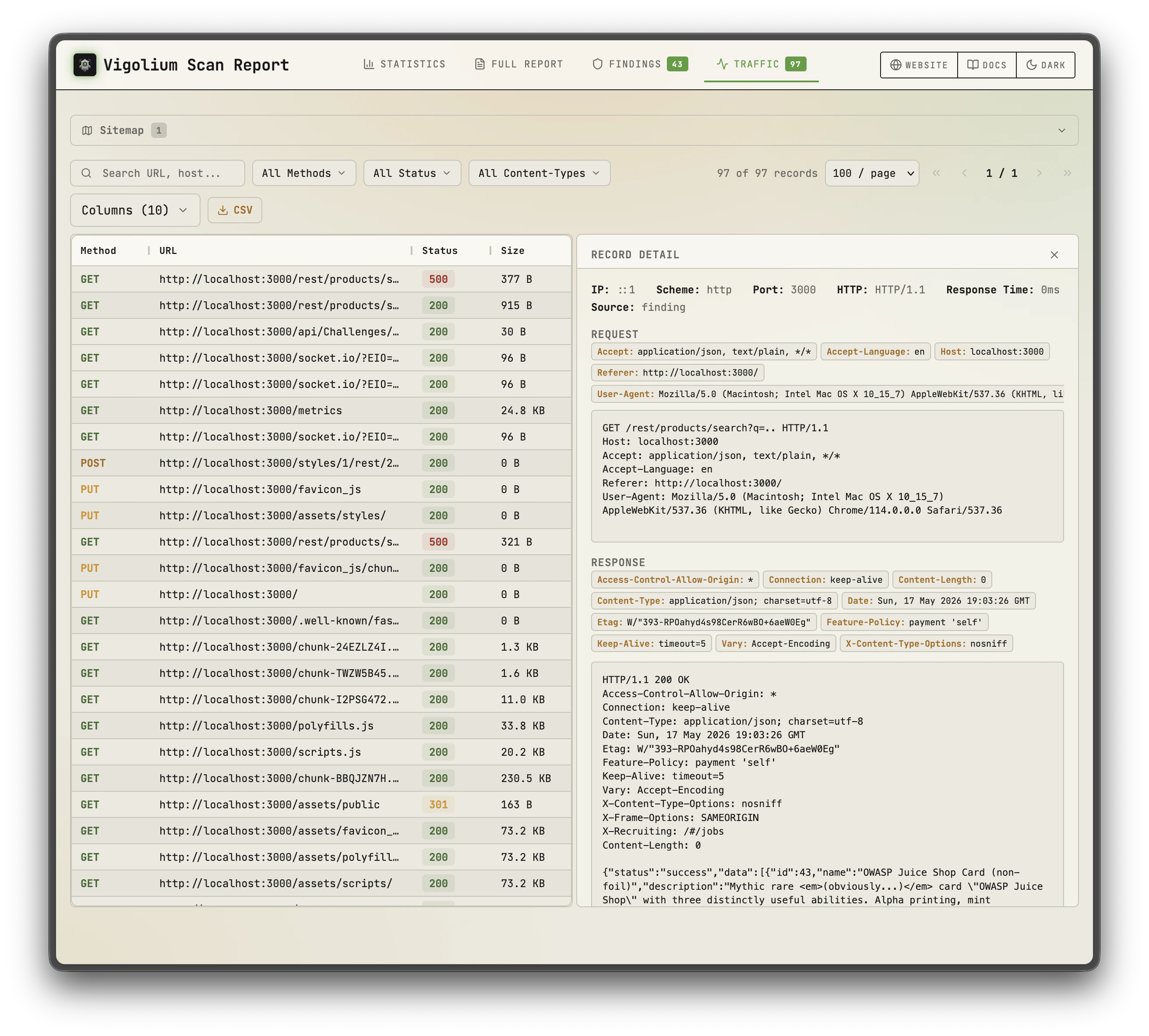
HTML report, summary with severity chart
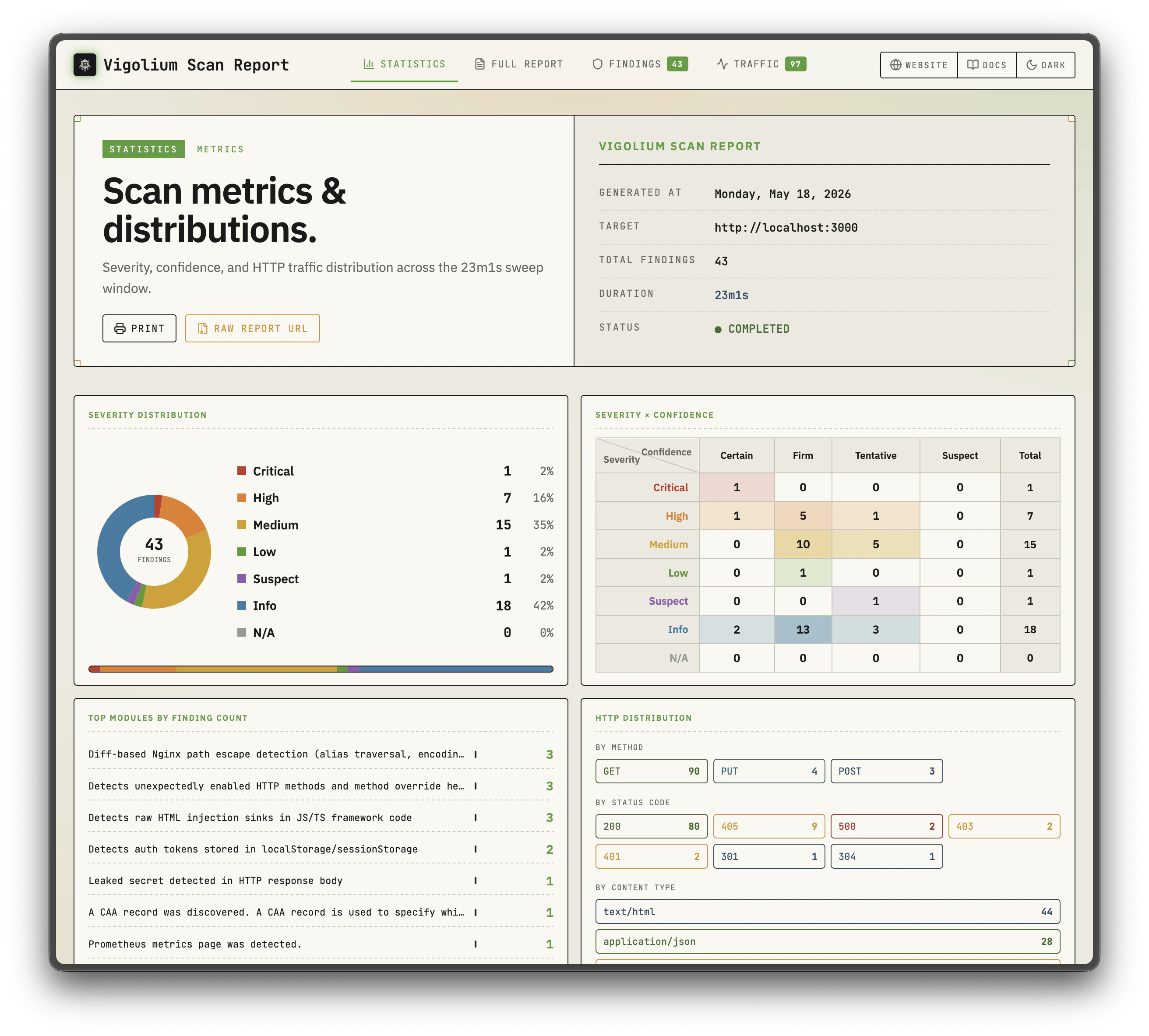
HTML report, sortable findings table
Vigolium Cloud Console
A cloud-based solution for teams that want the power of Vigolium without managing infrastructure. Console is the upgraded, fully-featured version of Vigolium, managed scanning, centralized reporting, team collaboration, and extra features layered on top of the open-source core, so you can focus on fixing vulnerabilities instead of maintaining tooling.Check out the Cloud Console at console.vigolium.com.

Native scan results in Vigolium Console

Agentic scan results in Vigolium Console

Project list with severity breakdown per repository

Detailed findings view for an individual project
Where to Go Next
For any inquiries, feel free to contact us at [email protected].