
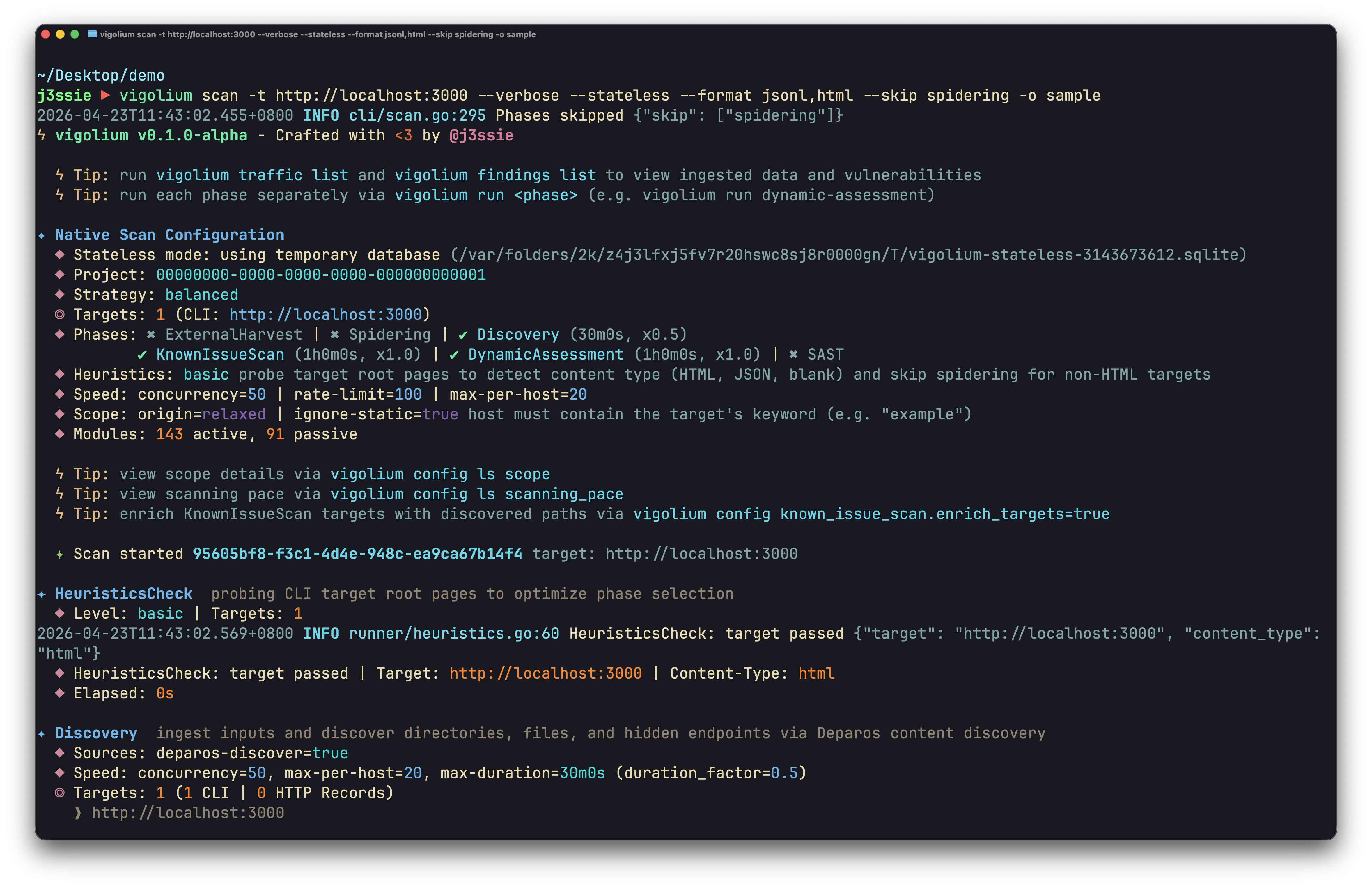
Native Scan CLI
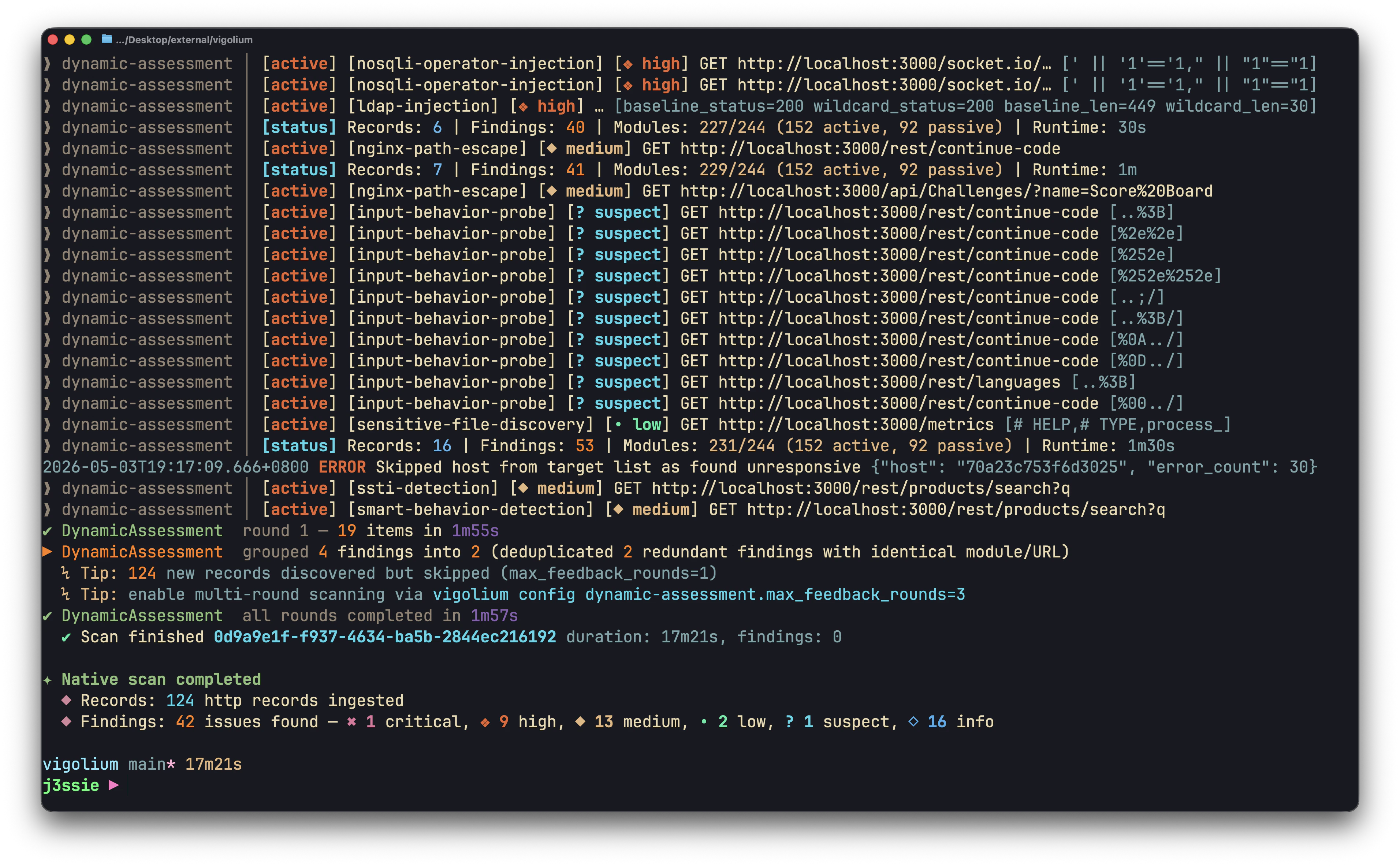
Native Scan CLI
Stateless at a glance
scan-url and scan-request never touch a database. scan --stateless creates a temporary SQLite database, runs every requested phase, exports results, and deletes the database on exit.
Pass
-o/--output (with --format) when using --stateless, otherwise results are discarded along with the temporary database. Vigolium prints a warning if you forget. --stateless and --db are mutually exclusive.Scan a single URL, scan-url
scan-url to the full pipeline and require a database, pass --db):
Scan a raw HTTP request, scan-request
Piping from stdin
Bothscan-url and scan-request auto-detect the stdin format, plain URL, curl command, or raw HTTP request:
Full stateless pipeline, scan --stateless
Run discovery, spidering, and dynamic-assessment with no persistent state. --stateless works on both scan and run:
--split-by-host to instead scan each target in its own isolated temporary database and write a separate per-host output file (the filename is suffixed with the host so results don’t overwrite):
⚡Scanning a huge list of targets in parallel
When you point Vigolium at a large target list, use-P/--parallel N to scan several hosts at once. Each target runs in its own isolated child process — so there is no cross-contamination between workers — and each child keeps its own --concurrency, meaning real in-flight requests are roughly N × --concurrency.
-P requires one of two output strategies so results never collide:
--stateless --split-by-host— each target runs against its own temporary database and writes a separate per-host output file (base-<host>.<ext>). Nothing is persisted. Best for stateless, fire-and-forget batches.--db-isolate— each worker scans into a private temporary SQLite database, then merges its results into the shared--db(or the default DB) at the end. This lets many parallel scans share one database without write contention, and you export one unified report from the merged DB afterward.
--db-isolate is SQLite-only. Passing it alongside --stateless is not an error: -S wins and --db-isolate is ignored with a warning, since a stateless run keeps no database to merge from (before v0.4.8 the pair aborted the run). A --db you name by hand stays a hard conflict with -S. Pressing Ctrl-C during a -P batch is treated as an operator stop: un-started and cut-short targets are reported as “not scanned” rather than failures.Resuming an interrupted fan-out
A stateless parallel fan-out (-S -T --split-by-host -P) writes a tiny line-cursor manifest, <output>.progress.json, tracking the targets that completed cleanly. If the batch is interrupted (Ctrl-C, a crash, a CI timeout), re-run it with --resume to skip the finished targets and scan only the remainder — Vigolium also prints a copy-pasteable resume command on Ctrl-C/failure:
vigolium scan --resume bare — with no other flags — and it auto-discovers the *.progress.json in the current directory and relaunches the saved run from it (pass -o <prefix> to disambiguate when several manifests exist).
--resume currently applies only to the parallel fan-out (-S -T --split-by-host -P > 1). Resuming a plain sequential scan re-runs it in full.Stateless scans from other input sources
Tuning a scan
Authenticated stateless scans
Pass an inline session or a session file, both work in stateless mode:CI/CD integration
--ci-output-format forces clean JSONL with no banners or color codes, ideal for parsing in a pipeline:
Output formats recap
For stateless runs,
-o is the base path, Vigolium appends the correct extension per format and materializes every requested format from the temporary database before tearing it down.
Next steps
- Stateless Scanning Guide, the extended recipe book.
- Scanning Strategies, strategies, profiles, pace.
- Native Scan: How It Works, the pipeline internals.
- Scanner Modules Reference, every module.
- Output & Reporting, formats and reports in depth.
Oh dear, you actually read to the end. Here’s the secret the config file
kept nudging you toward: by default every Vigolium request announces itself
with a
Vigolium/<version> User-Agent, so a friendly blue team can spot your
authorized scan in their logs in seconds. Go full ninja only when you mean
to be sneaky: