
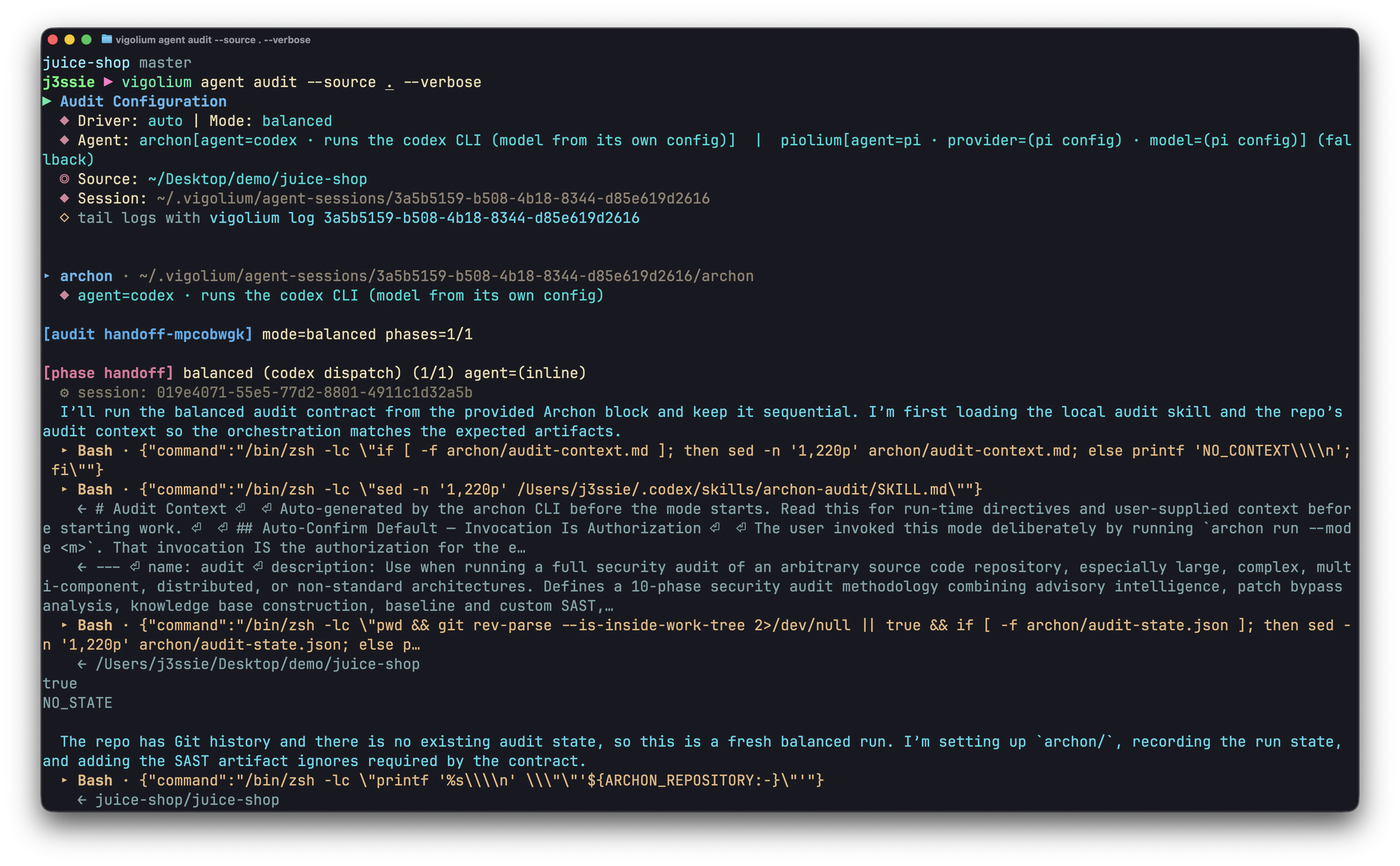
Vigolium Audit CLI
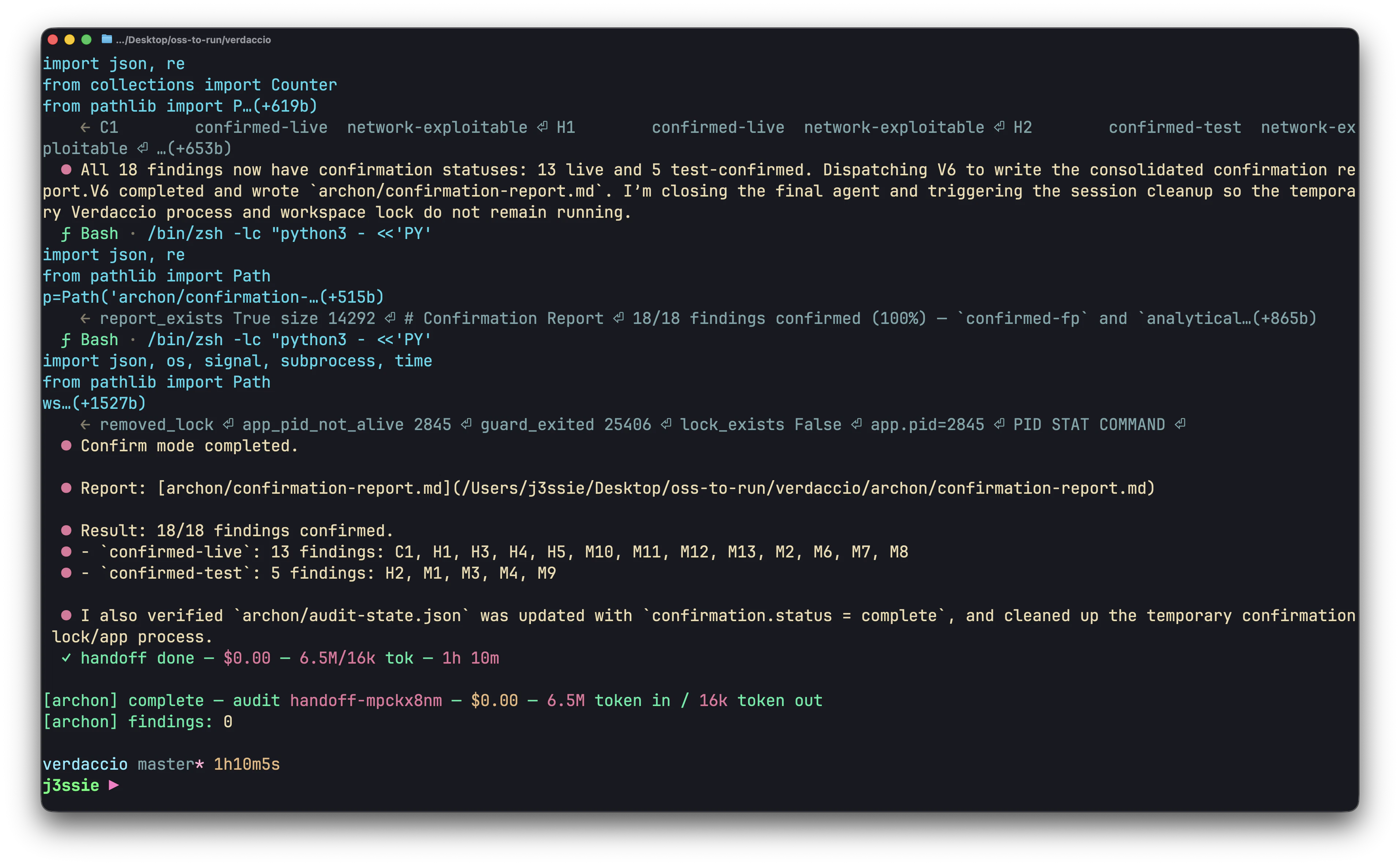
Vigolium Audit CLI
Recommended: reuse the coding-agent subscription you already have
If you already pay for a coding agent, Codex/ChatGPT, Claude Code, Grok, Gemini, Copilot, you don’t need a new API key. Put a local router in front of those logins and point vigolium at it as a plain OpenAI-compatible endpoint. One config, and everyvigolium agent … command runs on the subscription you’re already paying for.
Two routers do this well, pick either:
Both log into your existing agent accounts and expose them behind a single local OpenAI-compatible /v1 endpoint, so switching models is a one-line change on vigolium’s side.
1
Start the router
Install and log in per the router’s README, then leave it running. It will print the local port it listens on.
2
Point vigolium at it
3
Verify
autopilot, swarm, query and the audit drivers all use it from here.model_id are whatever your router exposes, http://localhost:20128/v1 and gc/grok-4.5 above are OmniRoute’s; hit the router’s /v1/models to list the ids it routes for you. Quoting '${OMNI_API_KEY}' keeps the key out of vigolium-configs.yaml, it’s expanded from the environment at load time (see custom headers).
Whatever you route to must actually emit tool calls, olium is an agent loop, not a chat box. Frontier models behind these routers (Grok, Claude, GPT, Gemini) are all fine; small local models often aren’t. See the tool-calling caveat below.
If you’d rather wire a provider up directly, without a router, the rest of this page covers each one:
All settings live in
~/.vigolium/vigolium-configs.yaml. You can edit it directly, or use vigolium config set <key> <value>.
1. Olium agent, the engine everything runs on
olium is the in-process agent runtime (pkg/olium/) that backs every vigolium agent … subcommand. Setting it up means picking one provider and giving it credentials.
The supported providers:
Verify any setup with:
vigolium agent autopilot, vigolium agent swarm, etc. all work.
2. Codex, cheapest with a ChatGPT subscription
If you already use OpenAI’s Codex CLI, vigolium reuses the same OAuth credential file. No API key needed, refresh handled automatically.~/.codex/auth.json is read on every run; the JWT is auto-refreshed when it expires, so you don’t have to re-login.
3. Claude (Anthropic)
Prefer the official Claude Code client. The recommended way to drive Claude from olium is through Anthropic’s own client — the Agent SDK bridge (
anthropic-claude-sdk-bridge, 3a below, the default) or the claude CLI shell-out (anthropic-cli, 3b). Both ride your existing Claude Code subscription through the sanctioned path. The raw OAuth token (3c) and API key (3d) options talk to the Messages API directly — a Pro/Max token used that way lands you in rate-limit / overage territory almost immediately, and the API key bills per token at the highest rates of any provider listed here — so reach for them only if you need direct-API billing (see the warnings on each).3a. Claude Code Agent SDK (anthropic-claude-sdk-bridge)
This is the recommended default way to use Claude with vigolium. It drives Claude Code through the Claude Agent SDK by shelling out to the vigolium-audit bridge sidecar (from vigolium/vigolium-audit) — no API key, it uses your logged-in Claude Code subscription. The run is a controlled, reproducible SDK invocation that always loads the vigolium-scanner skill so the agent knows the vigolium CLI.
vigolium-audit binary that hosts the bridge is embedded in vigolium — no separate install. Override it with vigolium config set agent.olium.bridge_binary /path/to/vigolium-audit or the per-run --bridge-bin flag. When agent.olium.llm_api_key / oauth_token is set it’s forwarded to the bridge; otherwise the ambient subscription is used.
Unlike the
claude CLI shell-out (3b), the SDK bridge does not load your personal ~/.claude config or a project’s CLAUDE.md — it’s a self-contained, reproducible run that behaves the same on any machine (CI, containers). Pick the CLI shell-out below when you want your full personal Claude Code environment applied to the current directory.3b. Anthropic CLI (claude shell-out)
If you’d rather have vigolium delegate to the claude binary on $PATH (so it uses whatever auth claude itself is configured with, plus your personal CLAUDE.md, MCP servers, and installed skills):
claude -p subprocess per turn (slower than the SDK bridge above), but it’s the way to apply your full personal Claude Code environment to the current directory.
Note on permissions. vigolium invokes
claude -p with --permission-mode bypassPermissions so Bash / Read / WebFetch tool calls execute without interactive approval (the wrapper is non-interactive, there’s no TTY for you to confirm prompts on). This is equivalent to running claude --dangerously-skip-permissions and applies for the duration of the subprocess only.3c. Claude OAuth (Claude Pro/Max subscribers)
claude setup-token mints an OAuth bearer token tied to your Claude subscription. No per-token billing.
anthropic-oauth reads agent.olium.oauth_token first, then falls back to $ANTHROPIC_API_KEY. The env var is the path of least resistance.
Heads-up, enable extra usage on your Claude account. Pro/Max subscriptions ship with the OAuth token capped to the in-app Claude Code allowance. Driving the same token from vigolium (or any third-party client) hits the Messages API directly and is rejected with
429 rate_limit_error until you turn on extra usage / pay-as-you-go overage in the Anthropic Console (Settings → Billing → Usage limits). Without that toggle the verify call above will fail even with a valid token.3d. Anthropic API key
For users billing through the standard Anthropic API.4. Custom LLM Backend (OpenAI/Anthropic Compatible API)
vigolium can drive any custom LLM backend — a cloud gateway or a local LLM API — through two provider drivers that share the sameagent.olium.custom_provider config block, differing only in the wire format they speak:
openai-compatible— endpoints that speak the OpenAI Chat Completions format: Ollama, LM Studio, vLLM, OpenRouter, Together, Groq, LocalAI, or any custom proxy.anthropic-compatible— endpoints that speak the Anthropic Messages (/v1/messages) format: a self-hosted gateway or LiteLLM-style proxy fronting Claude (or other) models.
custom_provider.base_url (required), custom_provider.model_id, an optional custom_provider.api_key (empty = no auth header, for local servers), and custom_provider.extra_headers. Pick whichever matches your backend’s wire format — everything below applies to both.
This is also the driver behind the recommended router setup at the top of the page: OmniRoute / CLIProxyAPI are just another OpenAI-compatible base_url, one that happens to be fronting your existing Codex / Claude / Grok logins.
Ollama (local, no key)
api_key means no Authorization header is sent, required for Ollama.
OpenRouter
LM Studio
Anthropic-compatible gateway
If your backend speaks the Anthropic Messages API (/v1/messages) rather than OpenAI Chat Completions — a self-hosted gateway or a LiteLLM-style proxy fronting Claude — switch the provider to anthropic-compatible. The custom_provider block is identical:
base_url accepts a full /v1/messages URL, a /v1 root (/messages is appended), or a bare host (/v1/messages is appended). Use extra_headers to switch to a Bearer scheme or pin a specific anthropic-version — entries are applied after the standard headers.
Custom headers (auth, routing, observability)
Some OpenAI- and Anthropic-compatible backends need extra headers, non-Bearer auth schemes, tenant/routing signals, request tagging for cost analytics, etc. extra_headers takes a list of curl-style "Key: Value" entries that are applied after the standard headers, so they can override Authorization (or x-api-key) when needed.
~/.vigolium/vigolium-configs.yaml directly:
${VAR}references are expanded from the environment when the config is loaded, so credentials don’t need to be checked into the file.- On duplicate keys the last entry wins (matches
http.Header.Setsemantics). - Malformed entries (no
:) are logged at warn level and skipped, the agent keeps running. - To replace the whole list, run
.clear ""first, then.addeach entry.
olium, query, swarm, autopilot, triage) takes the same override set: --provider, --model, --base-url, --llm-api-key, --oauth-cred, --oauth-token. For the two Vertex providers there are two more:
--gcp-project falls back to $GOOGLE_CLOUD_PROJECT, then agent.olium.google_cloud_project, then the service-account file’s own project_id. --gcp-location falls back to $GOOGLE_CLOUD_LOCATION, then agent.olium.google_cloud_location, then us-central1. --oauth-cred points at the service-account JSON (or set $GOOGLE_APPLICATION_CREDENTIALS).
extra_headers has no CLI flag, set it once in YAML (or via config set ... .add) and it sticks across runs.Tool-calling caveat. OpenAI-style function tools are part of the wire format but only some models actually emit them.
gemma4, qwen2.5-coder, llama3.1-instruct, and mistral-nemo work well. Smaller models often ignore tool definitions and reply in prose, if the agent never calls tools, switch model.5. Vigolium audit, source-code driver
vigolium agent audit runs a whitebox source-code audit. The harness (agents, commands, skills) ships embedded in the vigolium binary, no extra install. It drives the claude or codex CLI under the hood (resolved from agent.olium.provider), so you need a working Claude or Codex setup from section 2 or section 3.
lite (3 phases, CI-friendly), balanced (9 phases, default for --audit=balanced), deep (12 phases, full audit). All produce findings under the same parser/schema as native scanner output and are ingested into the vigolium DB.
Findings land under ~/.vigolium/agent-sessions/<scan-uuid>/vigolium-results/. See Agentic Security Audit for the full reference.
6. Piolium audit, Pi-native driver
vigolium agent audit --driver=piolium runs a separate, more thorough audit (17 phases at deep) via the Pi coding-agent runtime. Unlike vigolium-audit, piolium is not embedded, you install it once and vigolium drives the pi binary.
No API key found for google-vertex. Use /login to log into a provider) and the audit won’t start.
By default vigolium uses pi’s per-user install at ~/.pi/agent. To use a system-wide install instead, export PIOLIUM_HOME=/opt/piolium (or any other path). See Agentic Security Audit for modes, intensity presets, and the full flag reference.
vigolium-audit vs piolium
You can also run both side-by-side with
vigolium agent audit --driver both --source …, that dispatches vigolium-audit then piolium under a single parent scan with project-wide deduplication.
7. Verifying the full stack
After whichever sections you set up, run these in order. Each one fails fast with a useful error if a piece is missing:agent.olium.provider, or a missing binary.
Where to go next
- Olium Agent, what olium is and what its tools do.
- Autopilot, autonomous scanning.
- Swarm, guided multi-phase scanning.
- Agentic Security Audit, vigolium-audit + piolium reference.
- Configuration Reference, every config knob with inline docs.