
Your first scan
scan is the default command. Every command takes -h to print its flags and examples, and gimorra help scan --groups lists the scan flags by topic.
Rather click than type? The console’s New scan page builds the same run from a target, an intensity and a brief.
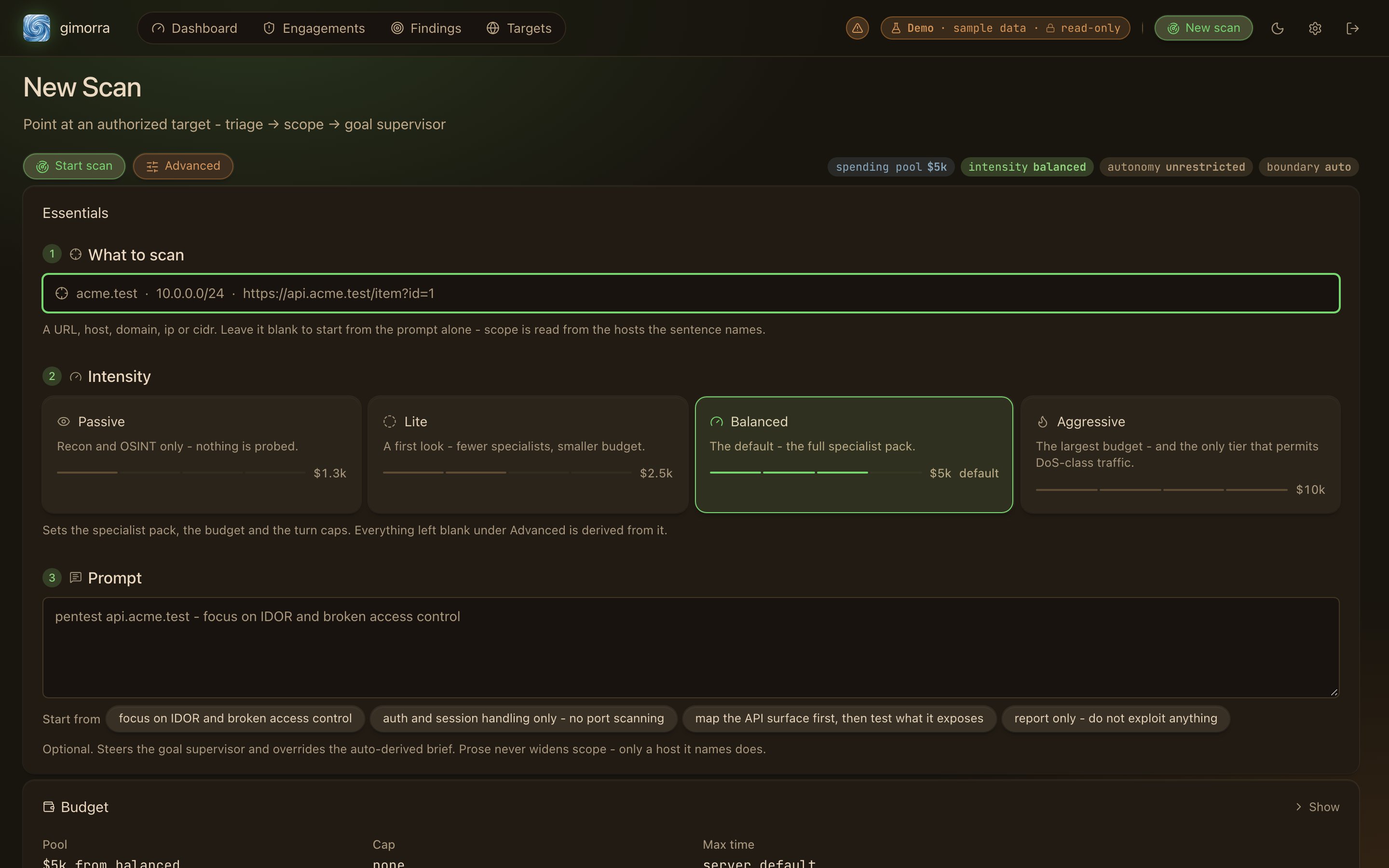
New scan in the console: a target, an intensity and a plain-English brief
Targets
Describe the scan in plain English
Pass a brief with-p to tell the run where to focus. Gimorra sets flags from your words and gives the brief to the agents as instructions:
--dry-run to see which flags the brief set, and which words set each one, without starting a run:
Intensity
--intensity sets how hard the run tests. Each level also sets the default spend limit per engagement:
Budgets and limits
--resume restarts it from where it stopped, and you don’t pay again for finished work:
Scope and rules of engagement
Before a tool call reaches the target, the scope guard checks it against the scope. A deny rule overrides any allow rule.Test as a logged-in user
If you give the run an account, it logs in before the attack, and every agent can act as that user. The simplest way is to put the account in the brief:--account. The command takes a reference to the secret, such as an environment variable, never the secret itself:
Find hosts before you scan
By default, Gimorra scans a domain you type as a single target. To find the hosts in a domain first, rungimorra recon. It finds and ranks the hosts, and scans none of them. Then scan the ranked hosts, best first:
--recon deep does both in one run.
Run in the background
--detach passes the scan to a background daemon and returns right away. The run keeps going after you close the terminal, and a shell with a time limit doesn’t stop it:
Read the results
gimorra serve starts the local console, which shows runs live while they are going. Every finding opens to its proof verdict and the exact requests that reproduce it:
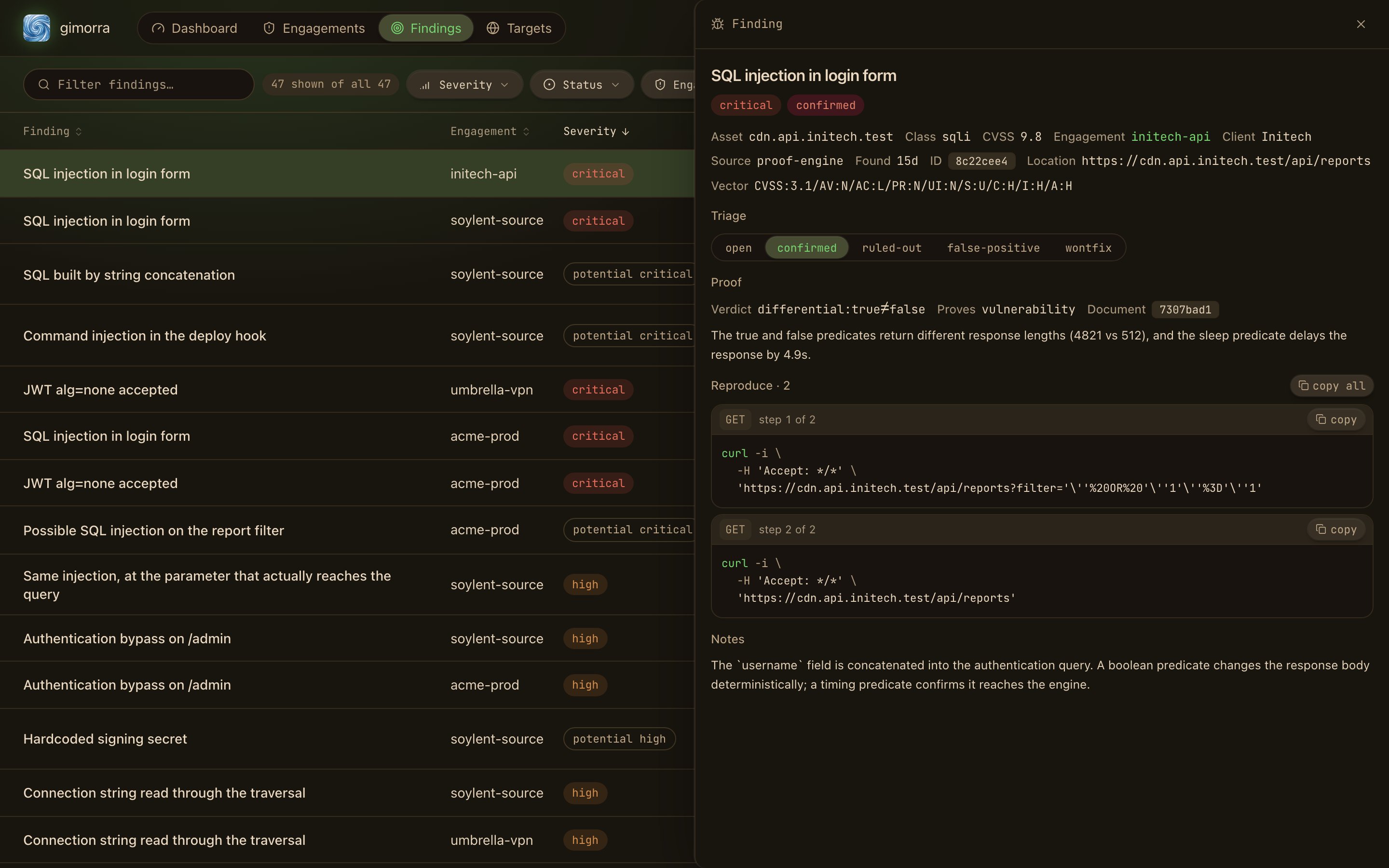
A finding with its proof and reproduction steps
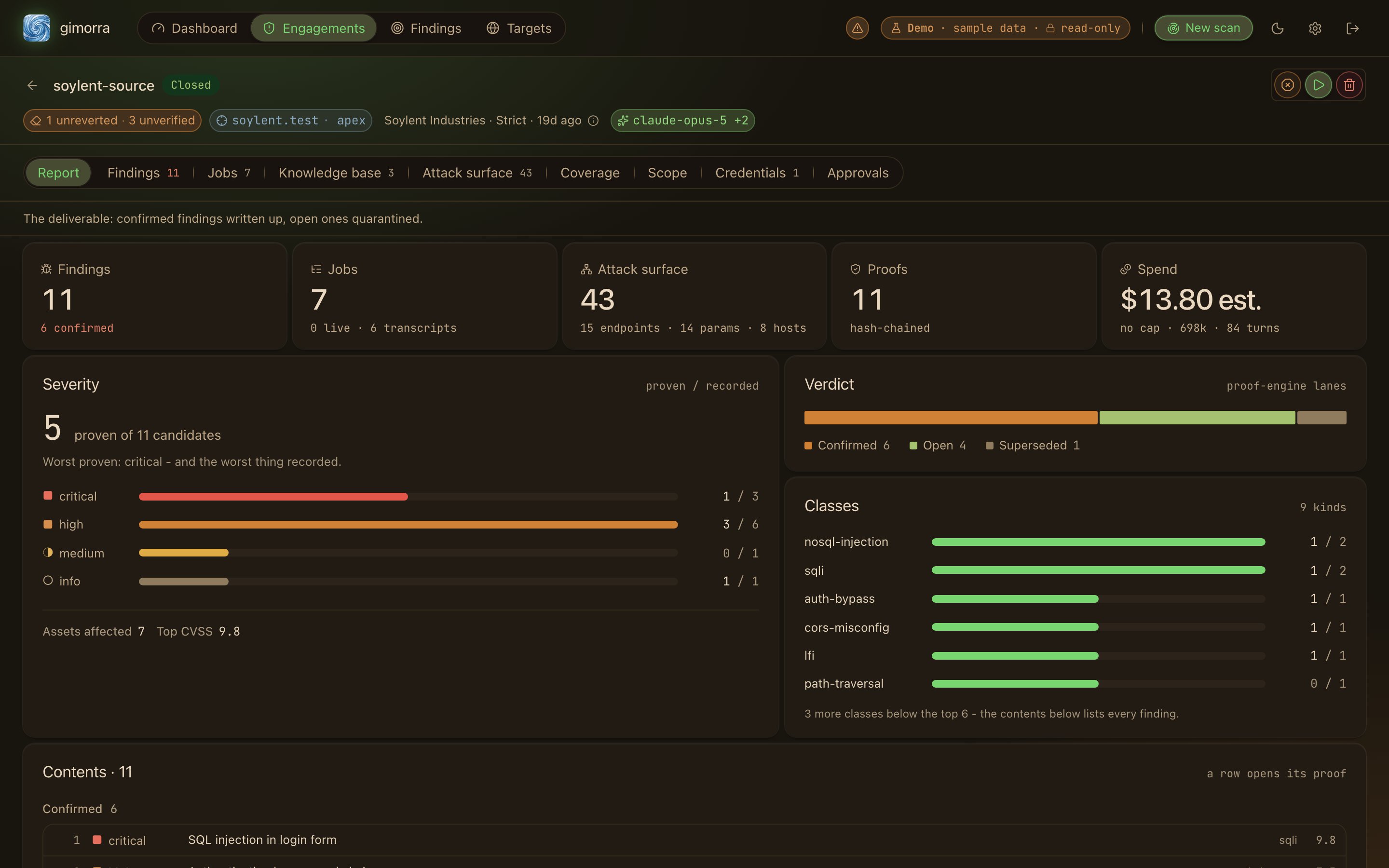
The engagement report: proven versus recorded
Stop a run
gimorra eng kill ends an engagement immediately. It stops new requests to the target, and the proof engine rejects any result that arrives after it:
Use it in CI
With--exit-on-findings, the scan exits with code 3 when it finds anything actionable, so a CI pipeline can fail on it:
Drive it from a coding agent
Thegimorra binary includes its own manual as agent skills. A coding agent can read the manual for the installed version instead of guessing at flags: